Deploy
Deploy is the process of applying changes to the NOC nodes. It can be used during installation, configuration, and NOC version updates.
To start a deployment, select the required Environment and click the Deploy button in the Environment List toolbar.

Clicking Deploy opens the Deploy Configuration Form, where the deployment parameters can be configured.
Deploy Configuration Form
The Deploy Configuration Form is displayed when a deployment is started.
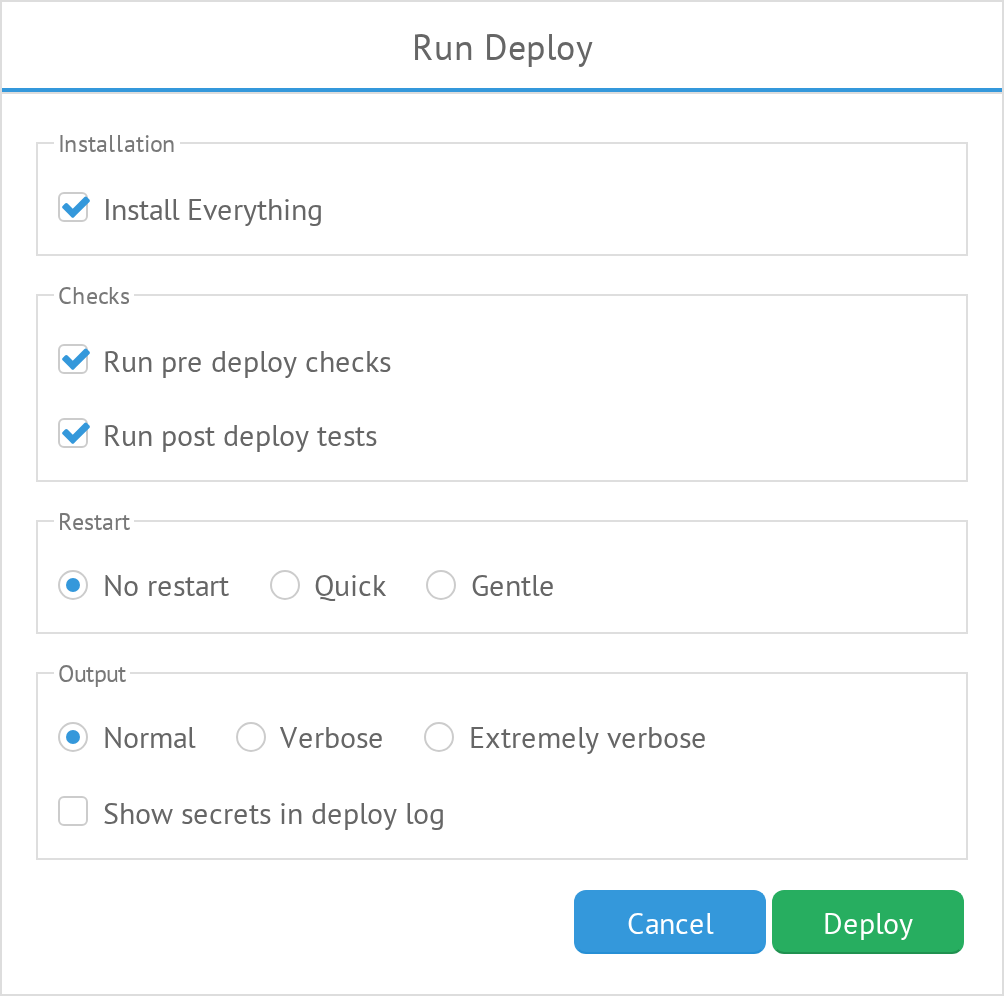
The form contains the following options:
Install Everything
Install all NOC components.
Run Pre-Deploy Checks
Run additional checks before starting the deployment.
Run Post-Deploy Tests
Run tests after the deployment is completed.
Service Restart
Defines how NOC services are restarted during deployment.
| Option | Description |
|---|---|
| No Restart | Do not restart services. |
| Quick | Restart all services simultaneously. |
| Gentle | Restart services one at a time. |
Build Set Output
Defines the level of output generated during the deployment.
| Option | Description |
|---|---|
| Normal | Normal output. |
| Verbose | Increased logging level. |
| Extremely Verbose | Debug information. |
Show Secret in Deploy Log
Show keys and passwords in the deployment log.
Warning: Enabling this option may expose sensitive information in the deployment log.
Cancel
Cancel the deployment and return to the Environment List.
Deploy
Start the deployment with the selected configuration.
Deploy Log
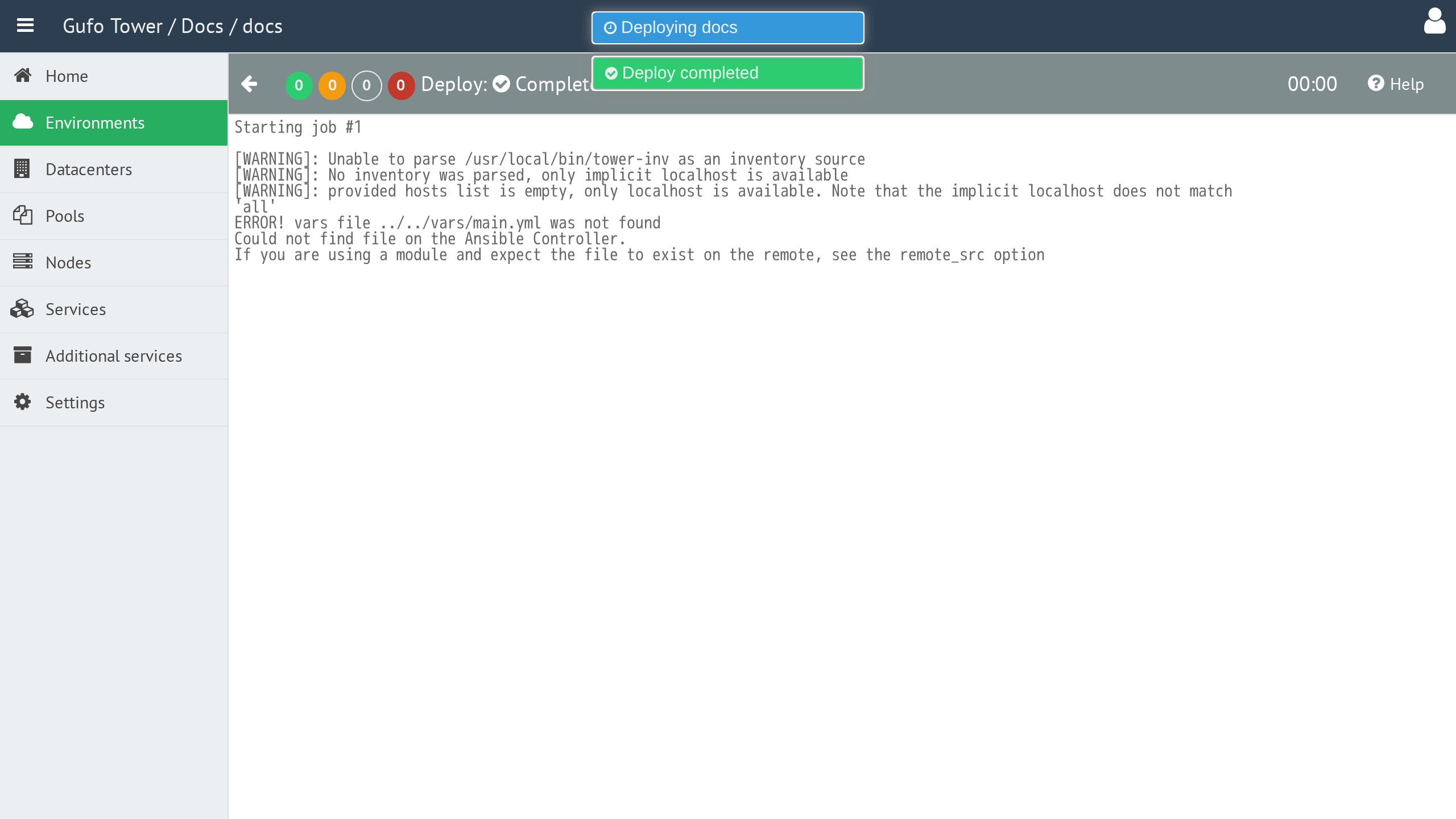
After the deployment configuration is submitted, the Deploy panel displays the deployment progress and results.
Deploy Toolbar
The toolbar provides controls for managing and monitoring the deployment.

The toolbar contains the following elements:
| Element | Description |
|---|---|
| Back | Back to the environment list. |
| Deploy Recap | Displays a summary of deployment tasks by their result. |
| Deploy Status | Displays the current deployment status. |
| Elapsed Time | Displays the time elapsed since the deployment started. |
| Help | Show this help page. |
Deploy Recap
Deploy Recap provides a summary of the deployment results. Each result is displayed as a number with a colored indicator.
| Result | Description |
|---|---|
x |
Task completed successfully without changes. |
x |
Task completed successfully with changes. |
x |
Tower could not connect to the host. |
x |
Task failed. |