Home Dashboard
The Home Dashboard is the main information screen displayed after launching Gufo Tower.
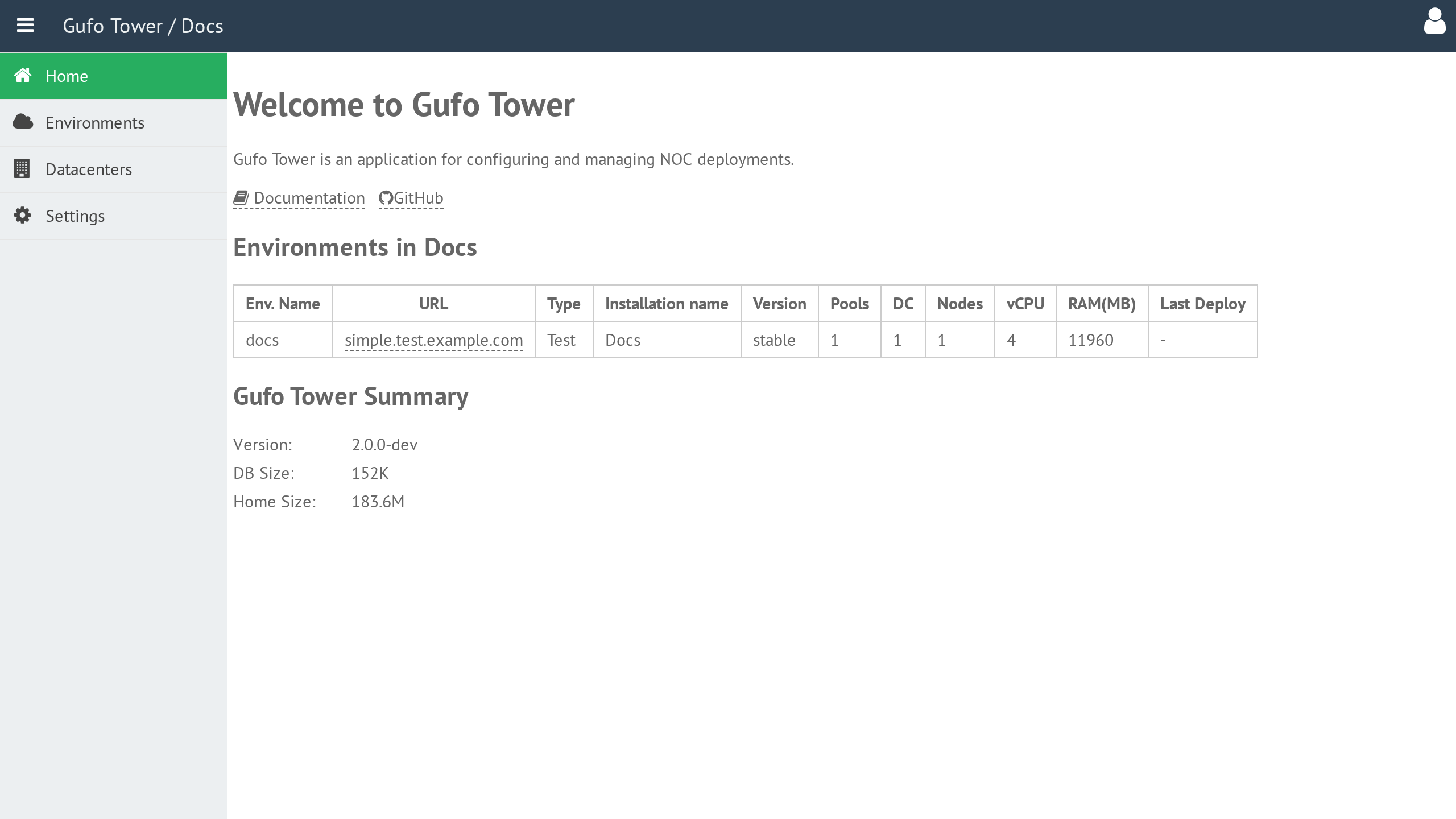
Environments Summary
The Environments Summary table provides an overview of all environments configured in Gufo Tower.
For more information about environments, refer to the Environment section of the documentation.
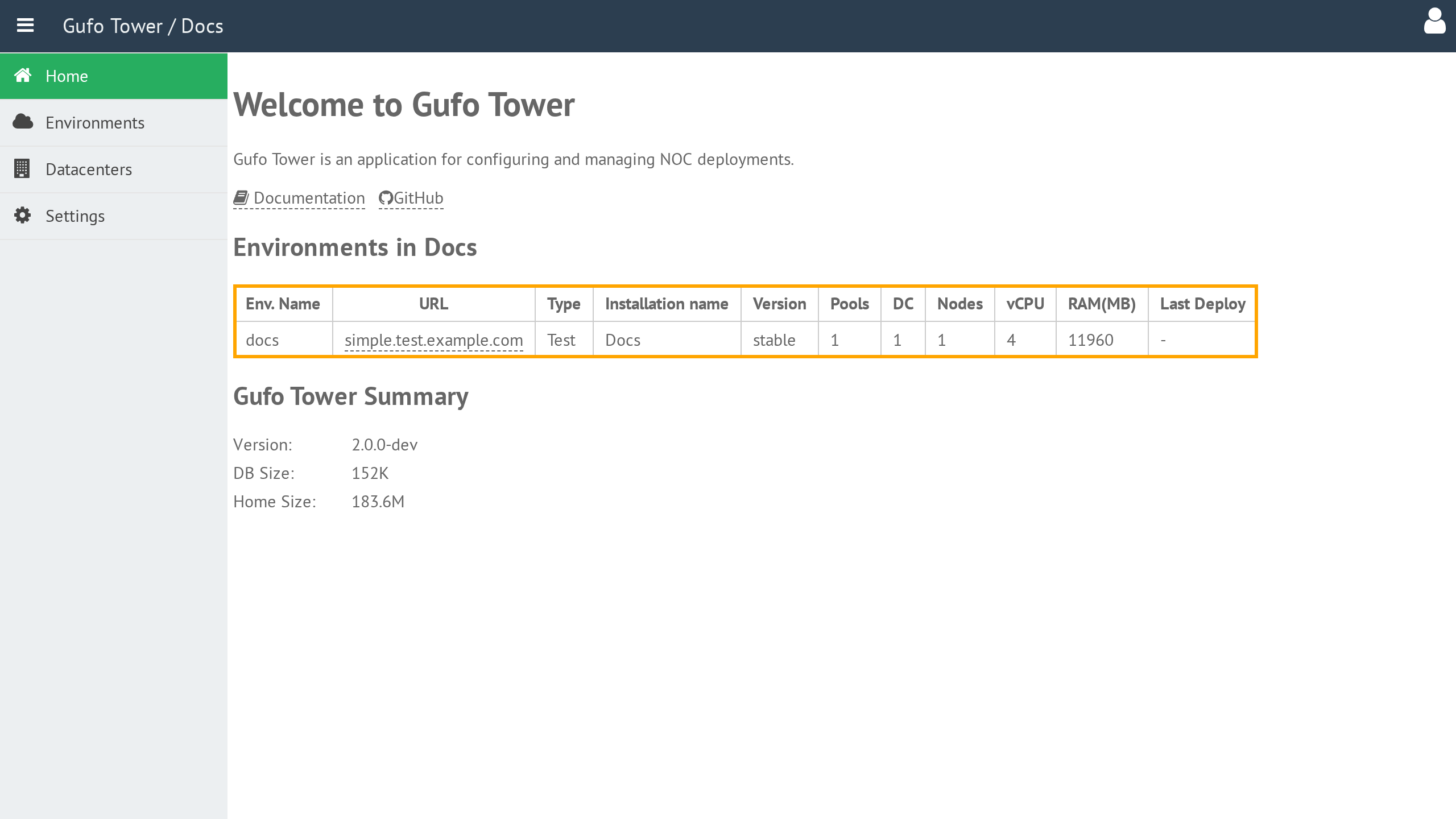
The table contains the following columns:
| Column | Description |
|---|---|
| Env Name | Environment name. |
| URL | Starting URL of the NOC application. Clicking the URL opens the corresponding NOC installation in a new browser tab. |
| Type | Installation type. Refer to the Environment section for details. |
| Installation Name | Human-readable installation name displayed in the NOC application header. |
| Version | Deployed NOC version, Git branch, or tag. |
| Pools | Total number of pools in the environment. Refer to the Pool section for details. |
| DC | Total number of datacenters occupied by the environment. Refer to the Datacenter section for details. |
| Nodes | Total number of nodes running the environment. Refer to the Node section for details. |
| vCPU | Total number of virtual CPUs allocated to the Environment. |
| RAM (MB) | Total amount of RAM, in megabytes, allocated to the Environment. |
| Last Deploy | Time and status of the most recent deployment of the Environment. |
Gufo Tower Summary
The Gufo Tower Summary provides an overview of the Gufo Tower installation itself.
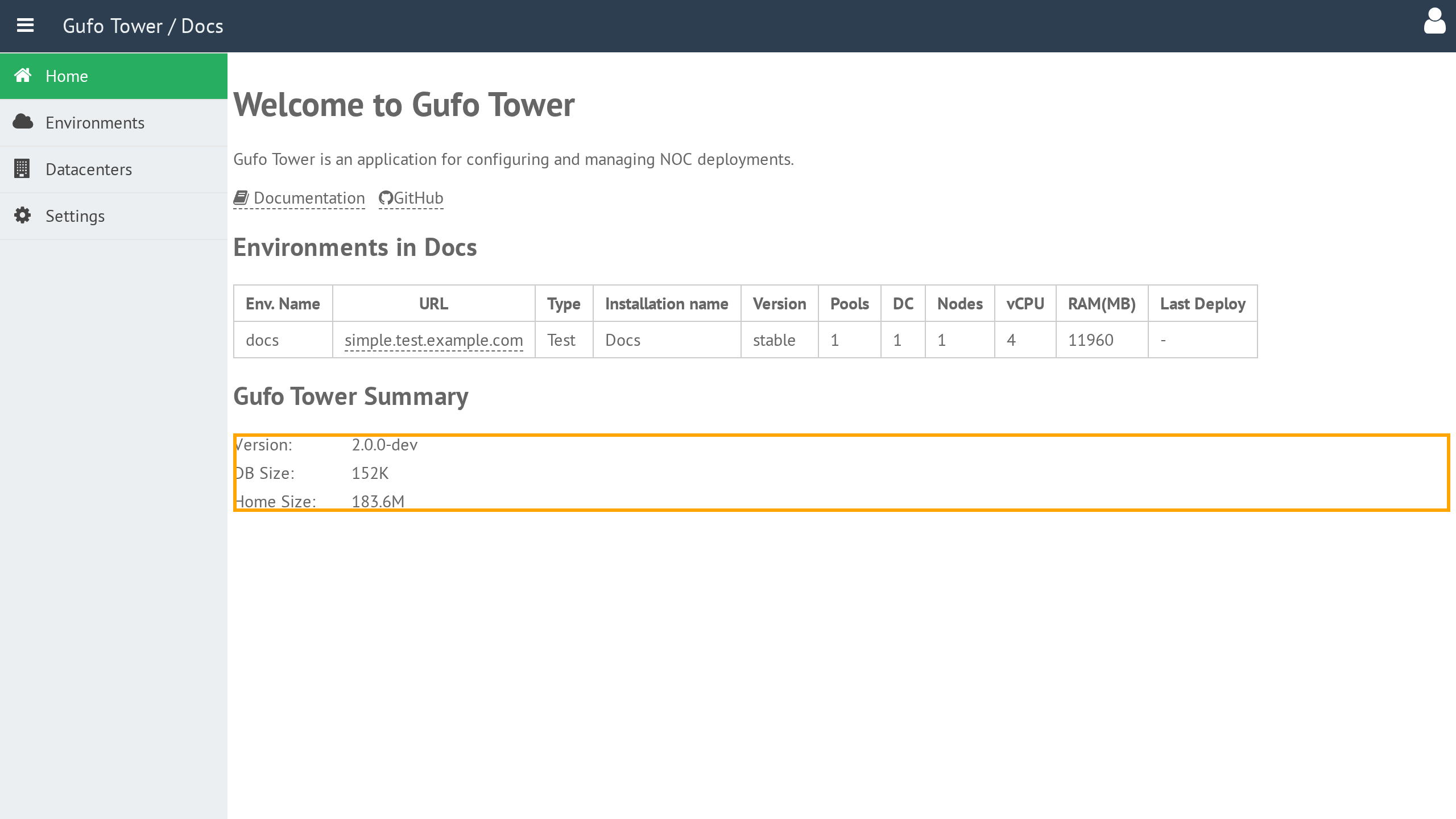
The summary contains the following information:
| Field | Description |
|---|---|
| Version | Version of Gufo Tower. |
| DB Size | Size of the Gufo Tower configuration database. |
| Home Size | Size of the Gufo Tower home directory. Refer to Home Directory Structure for details. |