Node Form
The Node Form is used to create and edit Nodes.
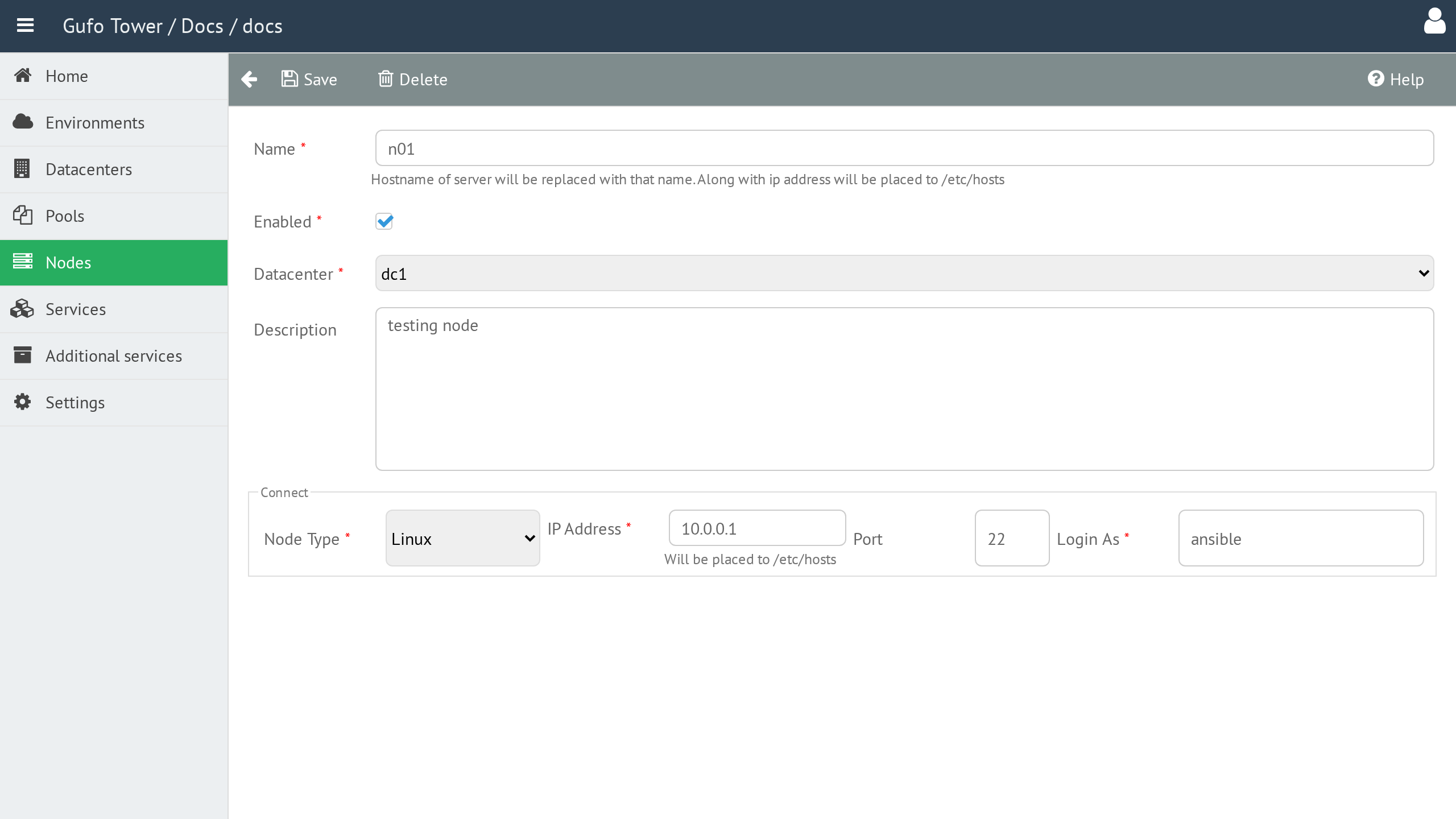
Name
The Node name.
The name must be unique within the Datacenter. Node names are written to the hosts file on the hosts.
Enabled
Enables or disables the Node.
Disabled Nodes are excluded from deployment.
Datacenter
The Datacenter where the Node is located. See Datacenters for details.
Description
A detailed, human-readable description of the Node.
Address
The IP address used to access the Node.
This address is written to the hosts file and is used by Gufo Tower to access the Node for deployment and for communication between Nodes.
Port
The SSH port used by Gufo Tower to access the Node for provisioning.
The default port is 22.
Login User
The user account used by Gufo Tower to access the Node over SSH.
Node Form Toolbar
The toolbar provides actions for managing the current Node.

| Button | Description |
|---|---|
| Back | Return to the Node List. |
| Save | Save changes to the current Node. |
| Delete | Delete the current Node. |
| Help | Show this help page. |