Working with the Node List
The Node List displays all Nodes currently configured for the selected Environment.
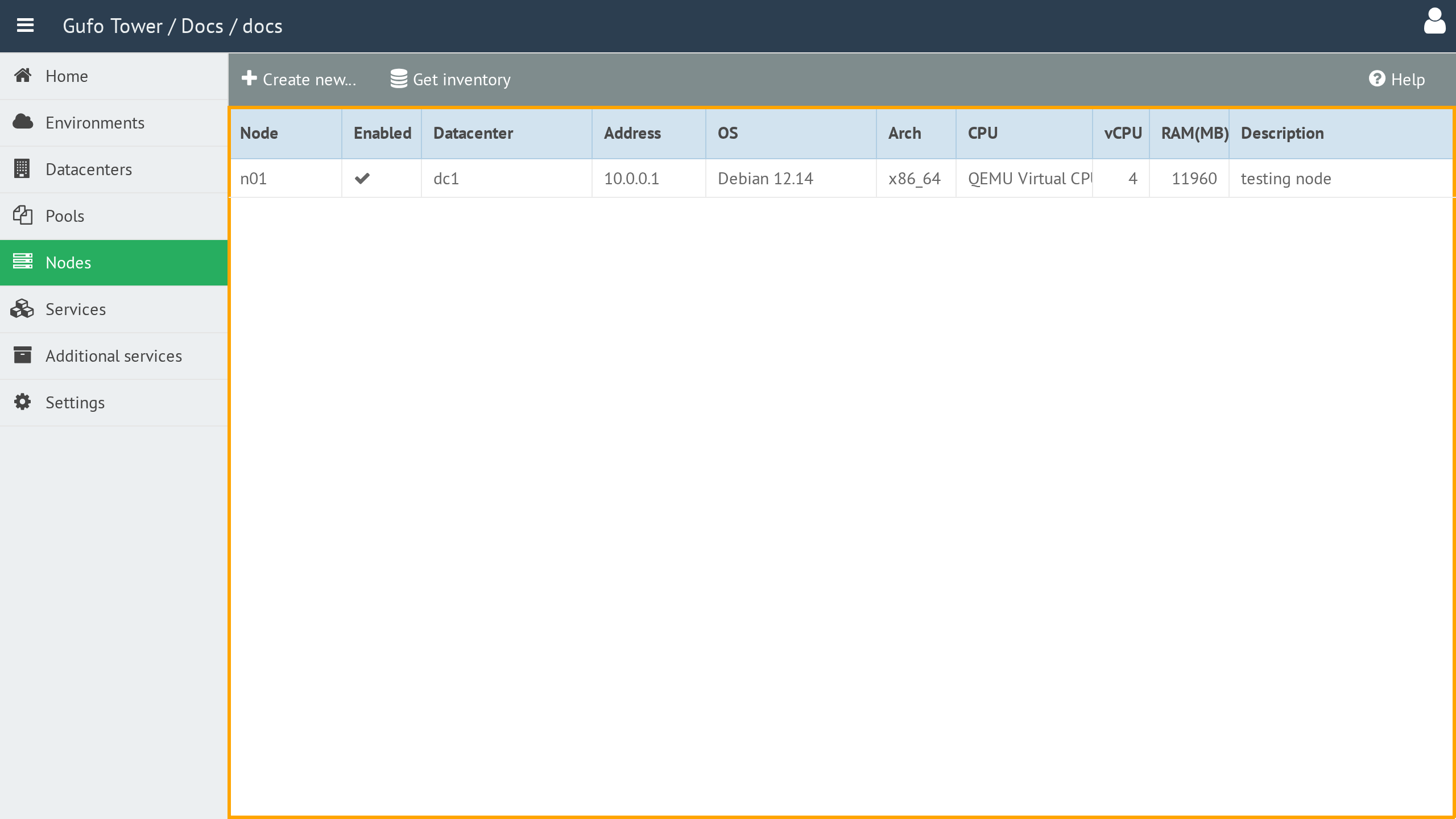
The list contains the following columns:
| Column | Description |
|---|---|
| Node | Node name. The name must be unique within the Datacenter. |
| Enabled | Indicates whether the Node is enabled. Deployment is not performed on disabled Nodes. |
| Datacenter | Datacenter where the Node is located. See Datacenters for details. |
| Address | Management address of the Node. This address is used by Gufo Tower to access the Node for deployment and for communication between Nodes. |
| OS | Installed operating system. |
| Arch | System architecture, such as x86-64. |
| CPU | CPU model. |
| vCPU | Total number of virtual CPUs allocated to the Node. |
| RAM (MB) | Total amount of RAM, in megabytes, allocated to the Node. |
| Description | Human-readable description of the Node. |
To view and configure a Node, double-click the corresponding row in the list to open the Node Form.
Toolbar
A toolbar above the list provides actions for managing Nodes.

The toolbar contains the following buttons:
| Button | Description |
|---|---|
| Create New | Creates a new Node. |
| Get Inventory | Runs inventory collection for all Nodes and updates their inventory information. |
| Help | Shows this help page. |